

You found the group about three weeks ago, and there is now a cart open in another tab, and you are not sure whether the version number matters, whether you need an account, or how long the box takes to arrive.
This is how to order K-pop merch online, start to finish. The walkthrough uses Lightstick Shop, but most of the steps transfer to any store you buy from. The parts that are specific to us, like shipping windows and the return policy, are stated plainly so you know what you are agreeing to before you pay.
What Counts as K-pop Merch
K-pop merch covers a handful of product categories, and the vocabulary does more work than it looks like it does, so knowing four words removes most of the confusion.
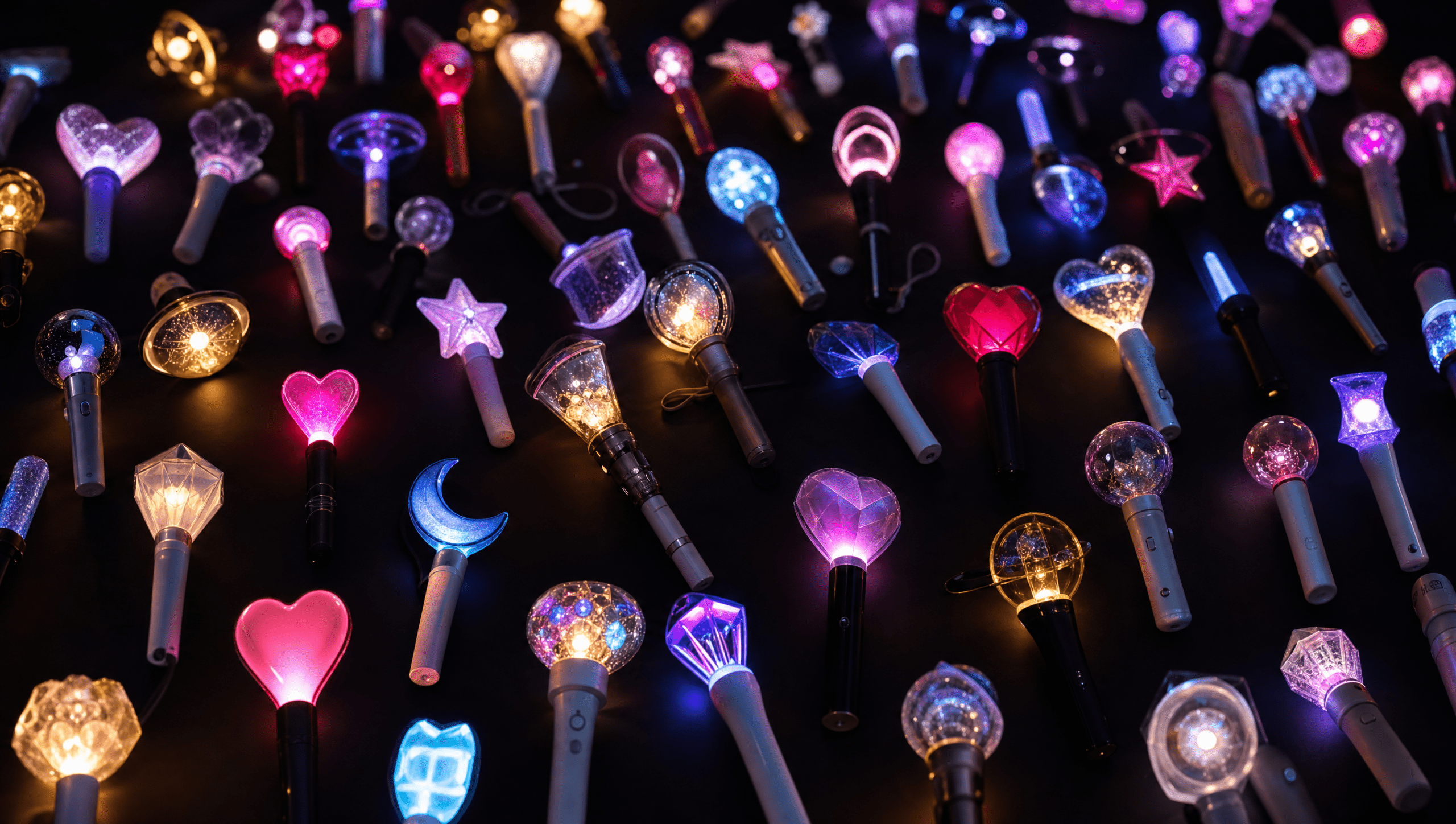
- Lightstick: the official handheld light a fandom waves at concerts. Every group has its own shape and colour, and it is the single most recognisable merch item in K-pop. You will see it written as one word and as two, so an official lightstick and an official light stick are the same object.
- Mini lightstick: a keyring-sized version of the same design that lights up, clips to a bag and costs a fraction of the full-size one.
- Photocard: often shortened to PC, a small printed card showing one member, usually packed inside an album, often randomly. Photocards are member-specific, which matters if your bias, the member you are drawn to most, shifts later on.
- Album: in K-pop this means a physical package, not just a CD. Expect a photobook, inclusions, and several versions of the same release with different covers.

Two more terms will come up constantly: a comeback is a group’s new release and the promotion run around it, and it is when merch demand spikes. A fandom name is what a group’s fans call themselves, so BTS fans are ARMY and Stray Kids fans are STAY. Product descriptions use these names as a matter of course.
There is also the official versus fan-made split: official merch is licensed by the group’s company, while fan-made merch is produced independently by fans, and it is a legitimate thing to buy, just not the same thing. If you want to compare against the source, the artists’ own storefronts, like Weverse Shop, are the reference point for what an official release looks like.
🔗 If you’re new to the category entirely, start with our explainer on what a K-pop lightstick is and what it means to fans.
How to Order K-pop Merch Online, Step by Step
There are seven steps, and the whole thing takes about five minutes once you know what you are looking at, and most of that time goes into step two.
Step 1. Find your group
There are two routes into the catalogue, and they suit different starting points.
- Browse by group: each major group has its own collection page, grouped by fandom. Use this if you know who you are shopping for and want to see everything at once.
- Search by product type: type the group name into the search bar, or the group name plus the item, for example the group name followed by lightstick. Use this if you already know the exact item.
If you are not sure your group has an official lightstick at all, our K-pop Lightstick List answers that in a single table, group by group.
🔗 If you’re not sure which one to get, browse the full K-pop Lightsticks collection.
Step 2. Pick the right version
This is where most first orders go wrong, and it is worth slowing down for. A version, usually written Ver.1, Ver.2 or Ver.3, is a re-release of the same product with design or hardware changes, not a quality ranking, so a Ver.1 is not broken because a Ver.2 exists.
Two questions settle it: first, which version is your group currently touring with, since that is the one that syncs at the show, and second, do you want the full-size lightstick or the mini. For a concrete comparison, the BTS Army Bomb Ver.4 is $69.99 and the keyring-sized mini of the same design is $29.99, for the same look with a very different footprint on a shelf.
If the version question is the thing holding you up, our BTS ARMY Bomb buying guide works through Ver.4 against Ver.3 in detail, and How K-pop Lightsticks Work explains what the concert sync actually does. If you are still deciding whether you need one at all, our guide on needing a lightstick at a K-pop concert answers that before you spend anything.
Step 3. Read the product page before you add to cart
Four things are worth checking, and they take about thirty seconds together.
- The variant dropdown: some products have a colour or style option that defaults to the first one, so choose deliberately rather than accepting the default.
- Availability: confirm the item is in stock rather than sold out, because a sold-out product cannot be added to the cart at all.
- What is in the box: batteries, cases and stands are sometimes separate products rather than inclusions.
- The price and currency: the store prices in US dollars, so your bank converts at checkout if you pay in another currency.
🔗 If you’re worried about authenticity before you pay, read How to Tell If Your Lightstick Is Official.
Step 4. Check out as a guest, or make an account
You do not need an account, since guest checkout is available and a first order works exactly the same either way. If you do create one, there is no password to invent: you enter your email and the store sends a one-time code to sign you in.
Pro tip: An account keeps your order history and tracking links in one place. If you already suspect this will not be your only order, it saves re-entering the address every time.
Step 5. Enter your address and pay
Address accuracy matters more here than on a domestic order, because a package crossing borders is much harder to redirect once it moves. Use your real, full delivery address, including apartment or unit number, and add a phone number so the carrier can reach you at the final step.
Payment is standard: Visa, Mastercard, American Express and Discover are accepted, along with PayPal, Shop Pay, Apple Pay and Google Pay, so pick whichever you already use.
Step 6. Check your confirmation email
A confirmation email lands within a few minutes and contains your order number, so keep it. If nothing arrives, check the spam folder first, then check whether the email address was typed correctly at checkout, which is the usual explanation.
Step 7. Track it
A separate email goes out with a tracking number once the order is dispatched, which is a different moment from when you paid. You can follow it on the order tracking page at any time.
One thing worth expecting: tracking often sits on the same status for several days mid-transit, especially between the origin scan and the arrival scan in your country. That gap is normal on international freight and is not a sign that anything went wrong.

Once it lands, if the item does not light up on the first press, work through our lightstick troubleshooting guide before assuming it is faulty. The battery tab and the button-hold length account for most first-day panics.
The First-Order Checklist
Run through this before you pay, because it takes a minute and it prevents almost every avoidable problem with a first K-pop merch order.
- ☐ Confirm the group: group names and lightstick designs look alike at thumbnail size, so open the product page and read the title.
- ☐ Confirm the version: Ver.1, Ver.2 and Ver.3 are different products at different prices.
- ☐ Choose the variant: if there is a colour or style dropdown, select it rather than leaving the default.
- ☐ Check it is in stock, not sold out or on pre-order.
- ☐ Use a real, complete shipping address, including apartment number and a working phone number.
- ☐ Expect international transit: this is not a next-day domestic order, so do not buy against a tight deadline.
- ☐ Save the confirmation email and the order number.
- ☐ Save the tracking link when the dispatch email arrives.
- ☐ Know the return window before you pay: 14 days from delivery, unused, in the original packaging, with proof of purchase.
What to Know Before You Order
None of this is complicated, but a first-time buyer usually finds it out after paying rather than before, which is the wrong way round. Buying K-pop merch online is mostly ordinary e-commerce, with three points where it genuinely differs from a domestic order.
Where your order actually ships from
Most products are sourced through an overseas supplier network, largely based in Asia. That is the reason most orders ship internationally and take longer than something bought from a warehouse in your own country. It is also the reason the catalogue is as broad as it is.
How long K-pop merch shipping takes
There are two separate clocks, and reading them as one number is what causes the confusion: processing happens first, then transit.
| Where you are | Processing before dispatch | Transit after dispatch |
|---|---|---|
| North America | 10 to 15 business days | 7 to 14 days |
| UK, Europe and Australia | 10 to 15 business days | 8 to 15 days |
| Asia | 10 to 15 business days | 8 to 15 days |
| Everywhere else | 10 to 15 business days | around 15 days |
Added together, the store’s own estimate lands in a rough 17 to 30 day window depending on the destination. Treat that as an estimate rather than a delivery date, because customs queues and carrier handovers move it in both directions.
Which leads to the one piece of advice worth taking from this whole article: do not place a first order against a deadline. If the item is for a concert, a birthday or a comeback event, order at least six weeks ahead, or buy something local for the date and let the K-pop order arrive when it arrives. A 17 to 30 day estimate is an estimate. No honest shop can promise a specific day on an international parcel, and the ones that do are guessing.
Customs and import duties
Import duties and customs charges are covered by Lightstick Shop. You are not asked to pay anything extra when the package reaches you, and there is no fee to settle at the door before the carrier hands it over. That applies across every destination we ship to, Norway included.
Returns and refunds
The return window is 14 days from the date the order is delivered. The item needs to be unused and in its original packaging, and proof of purchase is required. Start from the confirmation email, which is why saving it is on the checklist above.
🔗 Exact timelines, the full customs position and the complete return policy live on one page: How Ordering Works.
Where to Start, by Category
If you know you want something but not what, this is the shortest path through the catalogue.
Lightsticks
The default first purchase, and the one with the most written about it. The official K-pop lightsticks collection holds the full-size designs. For a shortlist rather than a full catalogue, 10 Must-Have K-Pop Lightsticks for Your Collection in 2026 narrows it down.
Mini lightsticks and keyrings
Same official design, roughly a third of the size, and it clips to a bag instead of living on a shelf. The K-pop Mini Lightsticks collection covers the keyring-sized versions across most groups. This is the category people underestimate before their first order and then buy three of.
Plushies
Character plushies sit next to the music rather than inside it. Groups build mascot lines, and those lines have their own followings. The Plushies collection is the general entry point, and the SKZOO characters live in the Stray Kids collection.
Albums and photocards
The category with the most moving parts, since albums ship in multiple versions and photocard inclusions are usually random. Browse the Albums & Photocards collection, and read the version name in the product title carefully before you order. Two listings for the same release are not a duplicate.
🔗 If you’re shopping for someone else and unsure what they own, our gift guide for K-pop fans sorts the safest ideas by budget.
First-Order Questions, Answered
These are the questions first-time buyers ask most often, both in our inbox and in fan help spaces like r/kpophelp.
Processing takes 10 to 15 business days before the order is dispatched. Transit after that is 7 to 14 days for North America, 8 to 15 days for the UK, Europe and Australia, 8 to 15 days for Asia, and around 15 days elsewhere. The overall estimate is roughly 17 to 30 days depending on the destination, and it is an estimate rather than a guaranteed delivery date.
No, import duties and customs charges are covered by Lightstick Shop, so nothing extra is charged to you when the package is delivered, and this applies to every destination we ship to.
No, guest checkout is available and works exactly the same as an account. If you do create an account, there is no password to set up, since the store signs you in with a one-time code sent to your email.
Returns are accepted within 14 days of delivery, as long as the item is unused and in its original packaging, and proof of purchase is required. The full policy is on the How Ordering Works page.
Check for the things a real store cannot fake cheaply: a published shipping and returns policy with specific timeframes, working order tracking, mainstream payment methods such as PayPal and Shop Pay that carry their own buyer protection, and a stated position on who pays customs. A store that will not tell you its processing time before you pay is the one to be careful with.
Your First Order, Realistically
Most first orders follow the same shape: forty minutes deciding between two versions, ten seconds at checkout, then a fortnight of forgetting about it entirely until the tracking email turns up. The waiting is the only genuinely hard part, and it is much easier when you knew the window going in.
Order earlier than you think you need to, keep the confirmation email, and let it arrive. When it does, a few storage habits will keep it looking the way it did in the box.


Pingback: K-pop Merch Customs Fees: You Won't Pay Extra (2026) - Lightstick Blog
Pingback: Gifts for K-pop Fans: What to Buy When You’re Not One – Lightstick Blog